Made for nail technicians, lash technicians, braiders, loc stylists, makeup artists, and tattoo artists across Jamaica.
Somewhere in your DMs is a client you haven't replied to yet.
WhatsApp works until it doesn't. Messages queue up, two people think they have the same slot, and your whole Sunday night goes to confirming Monday's appointments one by one. None of that is a you problem. It's a tools problem.
Set it up once. It runs on its own after that.
Build your page
Add your services, prices, hours and a few photos of your work. The setup walks you through it one step at a time.
Share the link
Instagram bio, WhatsApp status, Facebook page. Wherever you already send people.
Let it take bookings
Clients choose a time and confirm it themselves. You get an email, and that slot closes so nobody else can take it.
Your own page, with your work front and centre.
This is what clients see when they tap your link. An example page, set up in one sitting.
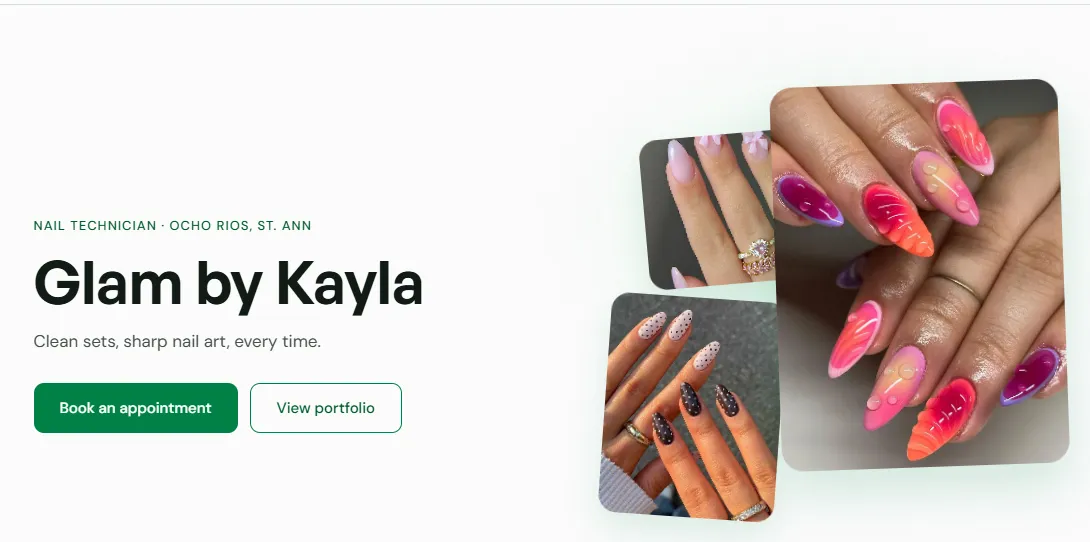
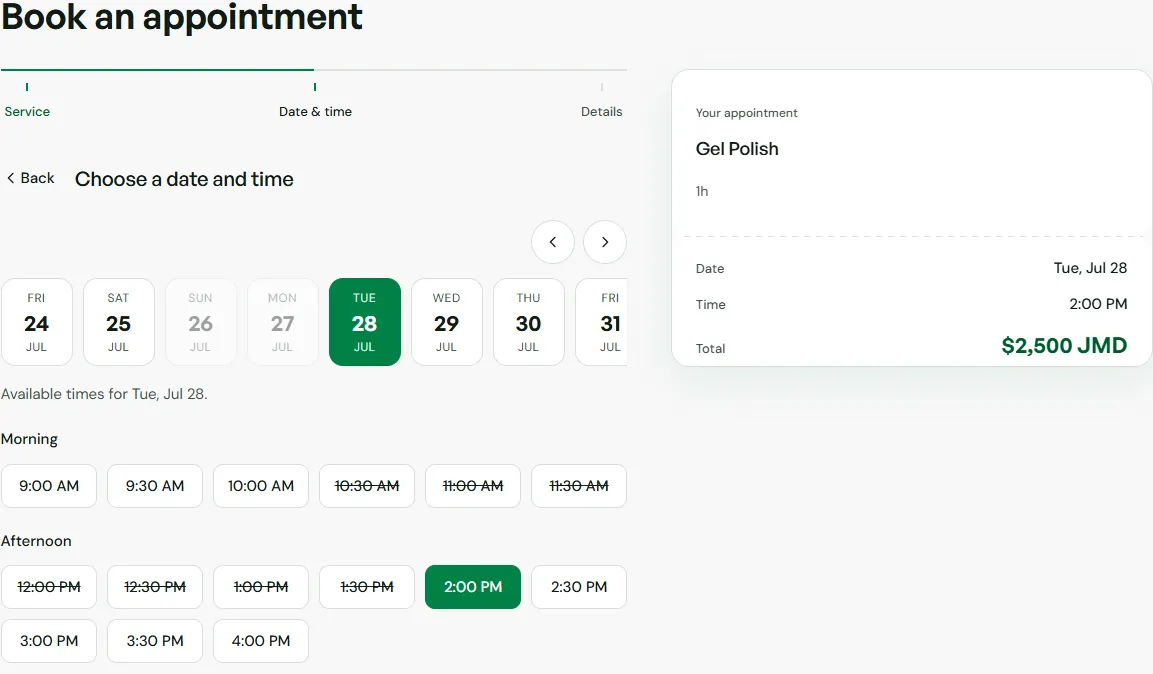
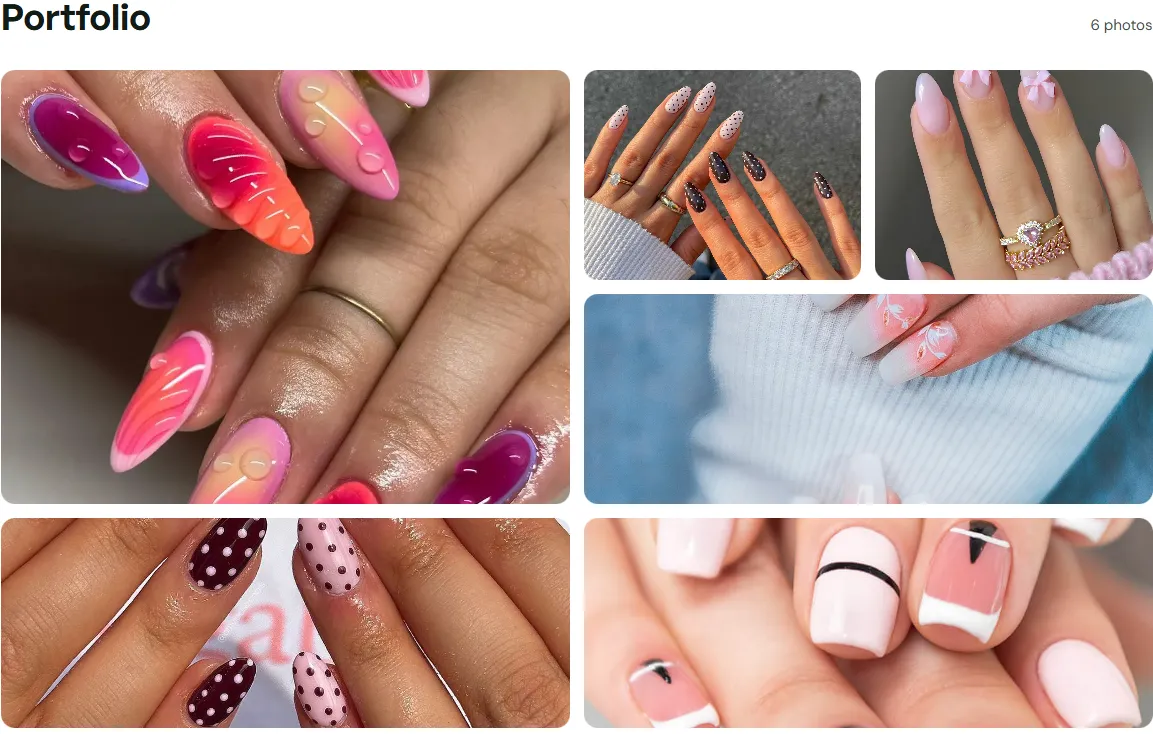
Everything after the booking is handled.
Your schedule updates the second someone books.
Open your dashboard and today's bookings are right there, in order. You stop cross-checking three chats to see what's actually confirmed.
Confirmations you never have to send.
Every client gets an email the moment they book, and a reminder the day before, each with a cancel link built in. You stop being the person who replies "yes confirmed" fifteen times a day.
No app for anyone to download.
Clients just open your link on whatever phone they have, pick a time, and confirm. Nothing to install, nothing to explain.
Try it free for a month. Then one simple price.
Then $4,000 JMD a month, cancel any month.
Pay by Lynk or bank transfer. No card needed to start.
- Your own page at karibify.com/yourname
- As many bookings as you can take
- Confirmation and reminder emails for every client
- A gallery for up to 12 photos of your work
- Block off the days you're away
- Change your services and prices any time
If one booking a month comes through your page instead of getting lost in your DMs, it has paid for itself.
Made in Jamaica, by someone you can actually reach.
Karibify is built and run here in Jamaica. Email hello@karibify.com and a real person reads it and writes back.
You pay the way you already pay everybody else, by Lynk or bank transfer. If it isn't making your week easier, stop at the end of any month.
Common questions.
Most clients are happy to use a link if it's simple, and this one is. They tap it, pick a time, type their name, number and email, and confirm. There's no account to make and no app to download.
If you can post on Instagram, you can set this up. It walks you through one step at a time, and most people finish in one sitting. Stuck on something? Email hello@karibify.com.
Keep booking them the way you always have. Karibify is for everyone else: the new enquiries and the Instagram finds you'd otherwise lose because you didn't reply in time.
$4,000 JMD a month, paid by Lynk or bank transfer. Month to month, cancel whenever you like.
Yes. The booking form has a note box where clients can describe what they want or paste a link to a photo. You'll see it with the booking.
Every client gets a reminder email the day before, with a link to cancel if their plans change. That way the slot opens back up for someone else instead of sitting empty.
Yes. You can cancel any upcoming booking from your dashboard, block off whole days, and set how much notice you need before someone can book, from 1 to 24 hours.
Your page stays up for 7 days after your month ends, so there's time to sort out payment. After that it goes offline until you pay again.
Your next client is trying to book you right now.
Give them a link that answers on the first try, even when your hands are full with a client.
Start your free month